
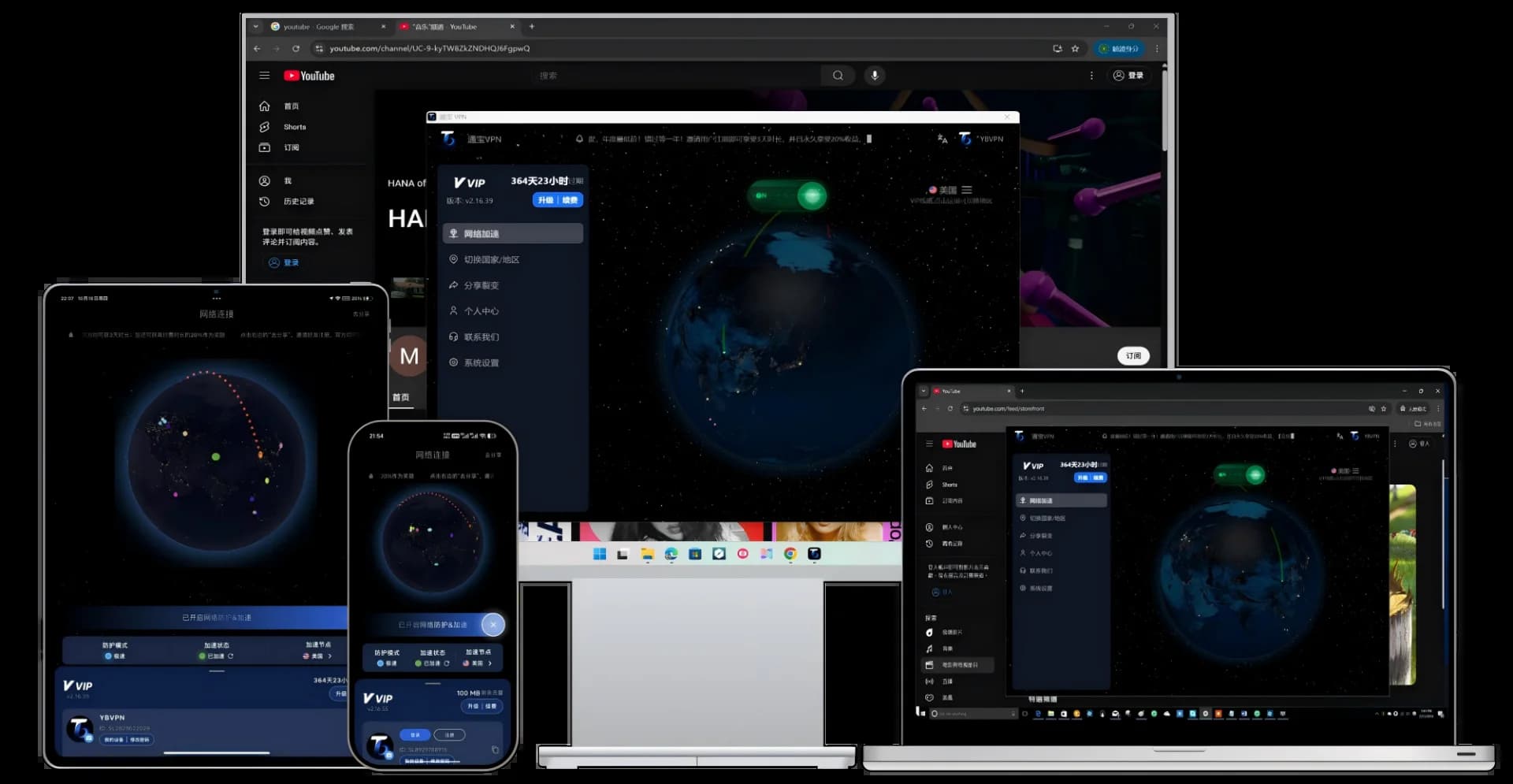
Want to install a VPN on your Android phone but can't find one in the app store? Most Chinese smartphone app stores — including Huawei AppGallery, Xiaomi GetApps, OPPO App Market, and vivo App Store — have removed VPN apps from their listings. This guide shows you how to safely download and install a VPN on any Android phone, plus our top VPN recommendations for 2026.
1. Why Can't You Find VPN Apps in Android App Stores?
App stores from Chinese smartphone brands (Huawei AppGallery, Xiaomi GetApps, OPPO Software Store, etc.) filter out VPN apps, so searching for "VPN" returns virtually no usable results. The primary way for Android users to install a VPN is by downloading the APK directly from the official website.
An APK is the Android app package format — similar to .exe files on Windows. APKs downloaded from trusted sources are functionally and security-wise identical to apps installed from app stores.
2. Best Android VPN Recommendations for 2026
Top Pick: TongbaoVPN
- Installation: Download APK from the official website, 30-second setup
- Compatibility: Android 7.0+, supports Huawei, Xiaomi, OPPO, vivo, Samsung, OnePlus, and all major brands
- Core Technology: Native TUN mode + IEPL dedicated lines + AES-256 encryption
- Free Tier: 3-day full-feature trial on signup + 200MB free daily traffic forever
- Standout Feature: Smart split tunneling — choose which apps use VPN and which don't
- Download: tongbaovpn.com/download
Alternative: Clash for Android
An open-source proxy client that requires your own node subscription. Powerful but complex to configure — best suited for technical users. Available on Google Play; in China, you'll need to get the APK from GitHub.
Alternative: v2rayNG
Another open-source proxy client. Lightweight, supports VMess/VLESS protocols. Also requires your own nodes — ideal for users with a technical background.
3. How to Install a VPN on Android
Step 1: Allow Installation from Unknown Sources
Before installing an APK for the first time, you need to enable this in your phone settings:
Huawei/Honor: Settings → Security → More Security Settings → Install Unknown Apps
Xiaomi/Redmi: Settings → Privacy Protection → Special Permissions → Install Unknown Apps
OPPO/realme: Settings → Security → Install Unknown Apps
vivo/iQOO: Settings → Security & Privacy → Install Unknown Apps
Samsung: Settings → Biometrics and Security → Install Unknown Apps
Find your browser (e.g., Chrome) and toggle on "Allow from this source."
Step 2: Download the APK
- Open your phone's browser and visit the TongbaoVPN official download page
- Tap the "Android Download" button
- Wait for the APK to finish downloading (approximately 30MB)
Step 3: Install the App
- Once downloaded, tap the download notification or find the APK in your file manager
- Tap Install
- If your phone warns "This app may be risky," tap "Install Anyway" (APKs from the official site are safe)
- Tap "Open" after installation completes
Step 4: Register and Connect
- Open TongbaoVPN and register with your email
- After logging in, you'll see the main interface
- Tap "One-Tap Connect"
- Android will show a "Connection Request" dialog — tap "OK"
- A key icon appears in the status bar, indicating VPN is active
4. Brand-Specific Tips
Huawei/Honor Phones
- On HarmonyOS 3.0+, you may need to set TongbaoVPN to "Unrestricted" in Battery Optimization to prevent the system from killing it in the background
- If the app icon doesn't appear after installation, search "Tongbao" on your home screen
Xiaomi/Redmi Phones
- MIUI/HyperOS may show a "This app may be harmful" warning — this is the system's default alert for apps not installed from the app store. APKs downloaded from the official site are safe
- If you also need Google Play, see: How to install Google Play on Xiaomi phones
Samsung Phones
- One UI's "Secure Folder" feature lets you hide the VPN app in an encrypted space for extra privacy
- Samsung phones generally have excellent APK installation compatibility
5. Android VPN Tips & Tricks
1. Smart Split Tunneling
A major advantage of Android VPNs is per-app proxy support. In TongbaoVPN, you can configure only specific apps to use the VPN tunnel (e.g., your browser, ChatGPT) while domestic apps like WeChat and Alipay connect directly — ensuring overseas service access without affecting local app performance.
2. Prevent Background Killing
Chinese Android skins (MIUI, HarmonyOS, etc.) aggressively kill background apps to save battery. Configure these settings:
- Set TongbaoVPN to "Unrestricted" in Battery Optimization
- Lock TongbaoVPN in the recent apps list (swipe down to lock)
- Allow TongbaoVPN auto-start in Auto-start Management
3. Choose the Right Server
- YouTube/Instagram: US or Japan servers
- ChatGPT/Claude: Residential IP servers
- General browsing: Smart recommendation
- Remote work: Hong Kong or Singapore servers
6. Is the Free VPN Plan Enough?
| Use Case | Daily Data | Is 200MB Enough? |
| Research & email | ~50MB | Yes |
| ChatGPT text chat | ~30MB | Yes |
| Instagram for 30 min | ~200MB | Just barely |
| YouTube for 1 hour | ~700MB | No |
| All-day usage | 1-3GB | No |
7. FAQ
Q1: Is it safe to download the APK from the official website?
Yes. APKs from the official TongbaoVPN website (tongbaovpn.com) are safe — identical to apps distributed through app stores, just delivered through a different channel. Avoid downloading APKs from third-party sites found through search engines, as those may have been tampered with.
Q2: Why does a key icon stay in my status bar?
This is Android's standard VPN connection indicator, showing that a VPN is active. The icon disappears automatically when you disconnect.
Q3: Will VPN drain my battery or cause overheating?
There's a minor impact, but TongbaoVPN is optimized for low power consumption — in our tests, battery life is reduced by approximately 5-8%. If you don't need it running all day, simply disconnect when you're done.
Q4: Does it work on Android tablets?
Yes. TongbaoVPN's Android client supports both phones and tablets — the installation process is exactly the same.
Download TongbaoVPN now and connect your phone to the world.