
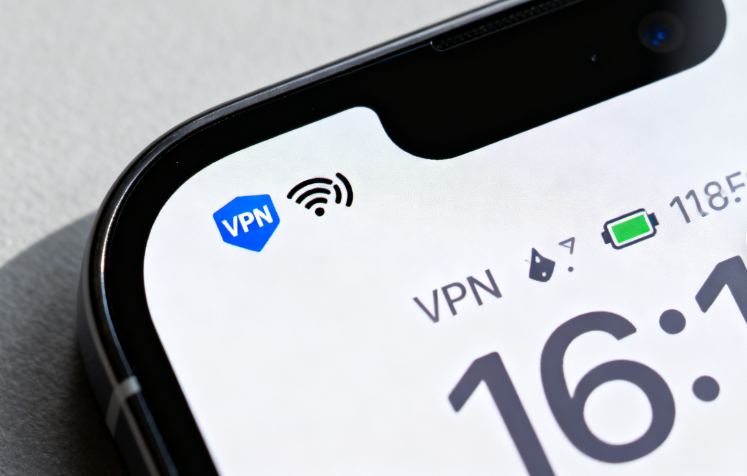
Many iPhone users suddenly notice a "VPN" indicator in their status bar and wonder: what does the VPN icon on my iPhone mean? Is something wrong with my phone, or is a feature running in the background?
The truth is, the VPN status bar icon is not a malfunction — it's directly related to your network connection status. This guide breaks down everything you need to know, and recommends TongbaoVPN, an affordable and reliable VPN that works great on iOS.
1. What the VPN Icon Means
When your iPhone shows "VPN" in the status bar, it simply means:
Your phone is currently connected to the internet through a Virtual Private Network (VPN).
In practical terms, your internet data is being encrypted through a VPN server before reaching its destination. This provides two key benefits:
Privacy protection
Bypassing network restrictions
The VPN icon can appear for two reasons:
1. You Actively Enabled VPN
This is completely normal.
Accessing your company's internal network for work
Watching video content from other regions
Protecting data on public WiFi networks
When you manually open a VPN app and connect, the VPN icon appears to indicate your connection is encrypted.
2. VPN Was Triggered Automatically
Some apps or system settings may automatically activate VPN, such as:
Enterprise management software (for corporate data security)
Specific apps that require VPN server access
If you see the VPN icon without having manually enabled it, check:
Your phone's VPN settings
Recently installed apps
This helps prevent background data consumption or reduced internet speed.
2. When Should You Use a VPN?
Common scenarios where a VPN is essential:
Traveling Abroad: Continue using your home country's streaming and music apps
Public WiFi: Protect banking logins and social accounts at cafes and airports
Cross-Region Access: Play international game servers or access overseas academic resources
3. Recommended: TongbaoVPN
Choosing the right VPN for iOS matters. Look for:
Stable connections
Easy operation
Affordable pricing
TongbaoVPN checks all these boxes with excellent iOS compatibility and multi-scenario support.
Flexible Pricing
1 Week: 10 HKD (~$1.30 USD)
1 Month: 42 HKD (~$5.40 USD)
3 Months: 109 HKD (~$14 USD)
1 Year: 399 HKD (~$51 USD)
That's less than $0.15/day — cheaper than a cup of coffee.
Multi-Device Support
One account supports 4 devices simultaneously:
iOS (iPhone, iPad)
Android
Windows
Mac
One account for work, study, and entertainment across all your devices.
User Experience
Ad-Free: Clean, uninterrupted experience
Instant Connection: Connect in seconds with one tap
No Drops: Stays stable even during network fluctuations
Bonus Perks
No registration required for daily free data — casual users can enjoy effectively permanent free access. Plus:
Refer friends and earn 20% bonus time when they subscribe — stackable with no limits
Invite 10 friends who each subscribe for 1 month = 60 days free for you
4. Summary
Back to the original question: "What does the VPN icon on my iPhone status bar mean?"
The answer:
It's simply a network status indicator — nothing to worry about.
When manually enabled, it means your connection is protected.
When automatically triggered, check your VPN settings and recent app installs.
If you need a VPN, choose a secure, stable, and affordable solution like TongbaoVPN:
Less than $0.15/day
Multi-device support
Ad-free, instant connection, no disconnects
Earn free time through referrals
Get started now for a safer, more open internet experience.