
官方指南
Installed TongbaoVPN on Mac (macOS 15 or macOS 26) but still can't access websites — what to do?
更新于 2026-02-16 23:53:09
# 安装教程

Symptoms:
1. TongbaoVPN shows the “Login / Register” buttons, but tapping Register returns “Network timeout, please check your connection”;
1. TongbaoVPN shows the “Login / Register” buttons, but tapping Register returns “Network timeout, please check your connection”;
2. After logging in successfully, the app reverts to a logged-out state within one second;
3. Tapping the Connect button shows nothing or a black screen;
4. Switching routes displays a blank page.
Cause & Fix
Starting with macOS 15 or macOS 26, Apple sets the “Private Wi-Fi Address” to “Rotating” by default. This prevents TongbaoVPN’s authentication nodes from recognizing your real MAC address, making the network inaccessible.
Starting with macOS 15 or macOS 26, Apple sets the “Private Wi-Fi Address” to “Rotating” by default. This prevents TongbaoVPN’s authentication nodes from recognizing your real MAC address, making the network inaccessible.
One-minute fix (disable Private Wi-Fi Address)
-
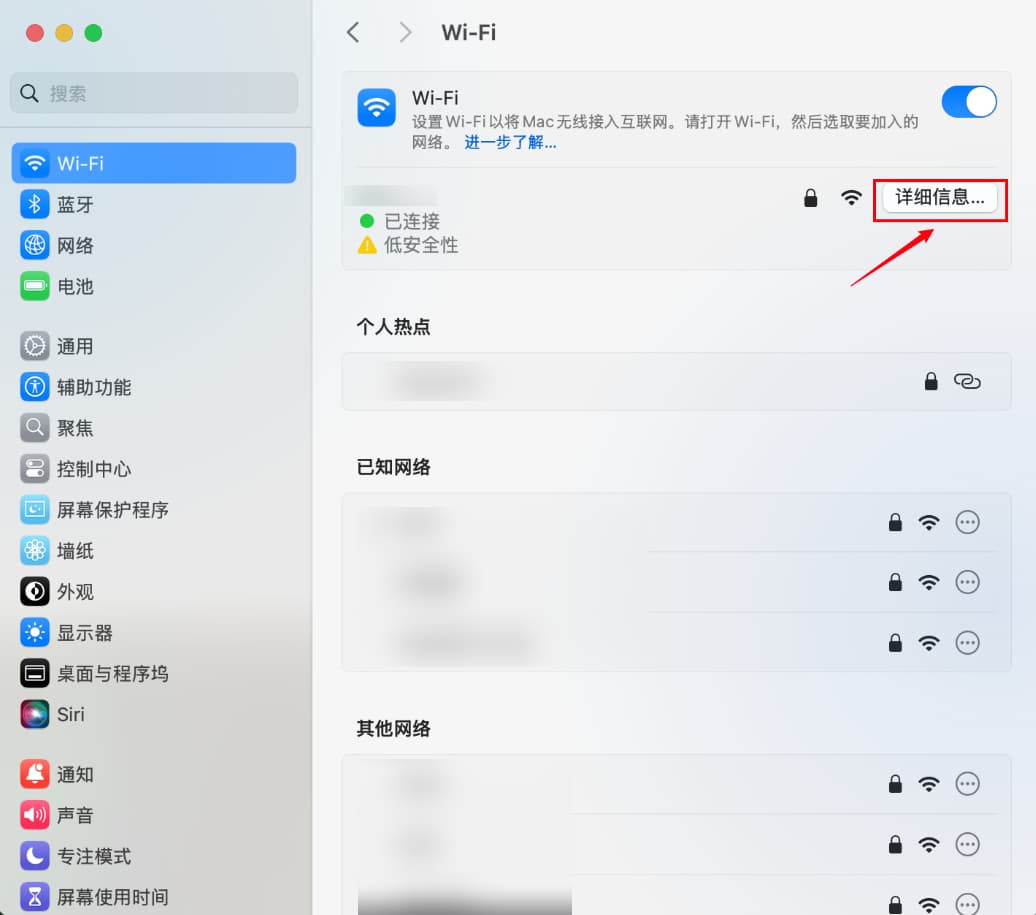
Click the Apple logo in the top-left corner of the screen → “System Settings” → “Wi-Fi”
-
Click “Details” next to the Wi-Fi network you are connected to
-
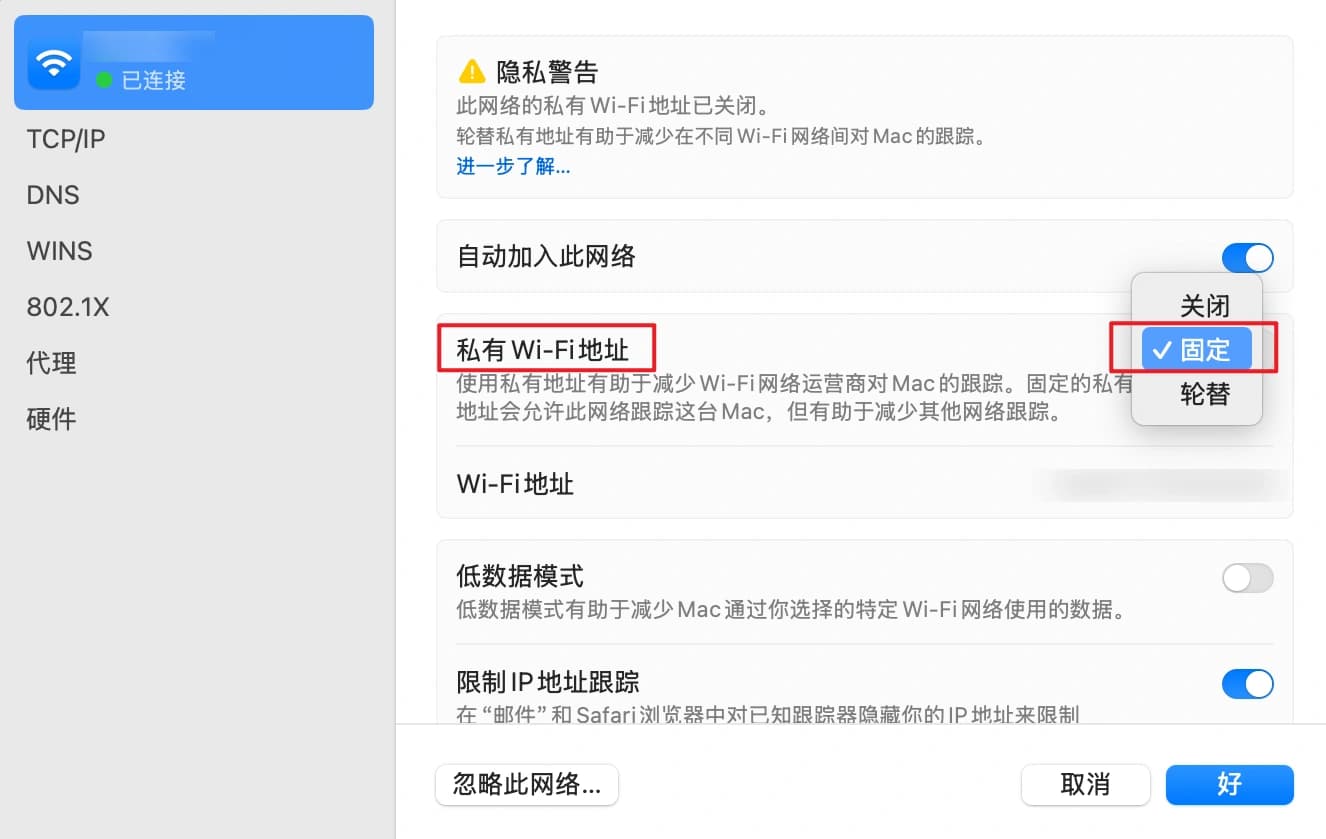
Change the “Private Wi-Fi Address” dropdown to “Fixed”
-
Click “OK” — the system will briefly reconnect to Wi-Fi
-
Fully quit and relaunch TongbaoVPN, switch routes a few times, then tap “Connect” — everything should work normally
Still not working? Check the following in order:
-
TongbaoVPN version: Visit the official download page and make sure you have the latest client matching your chip — “Apple Silicon” or “Intel”
-
System proxy: Go to System Settings → Network → Proxies and make sure “Auto Proxy Discovery” and “Automatic Proxy Configuration” are both turned off
-
Firewall: Go to System Settings → Network → Firewall and temporarily disable it for testing; if that fixes the issue, add TongbaoVPN to the allowed list
-
Router: Disable “AP Isolation” and “Parental Controls”, or try a mobile hotspot for comparison
-
Last resort: Uninstall and reinstall the .dmg, then restart your Mac
Following these steps resolves the issue 99% of the time. If the problem persists, contact official customer support.
阅读其他相关教程