

Excited to use Google Gemini with VPN on, but hit a snag? Google.com works fine, yet Gemini (gemini.google.com) stays stuck "loading" forever?
Don't worry—it's not your connection. It's macOS 26's privacy settings "helping" too much. With Tongbao VPN's optimized routes, just two simple steps for smooth access!
I. Why Can't Your Mac Open Gemini?
Many users report this on Mac (macOS 26):
-
Internet works fine: Google Search and YouTube load normally.
-
Only Gemini fails: Stuck on loading screen with no access.
Deep dive: macOS 26's new privacy features include "Limit IP Address Tracking" enabled by default. These interfere with VPN traffic routing, preventing Gemini from detecting your proxy environment. Even with VPN connected, Gemini's underlying protocols get blocked by the system.
II. The Ultimate Solution to Access Gemini
Step 1: Optimize Mac System Network Settings (Critical)
Many overlook this—it's the core to success:
-
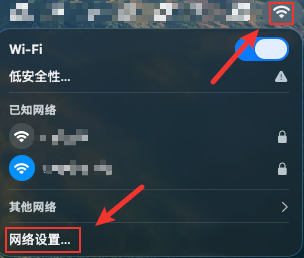
Enter Settings: Click the Wi-Fi icon in the top-right corner, then Wi-Fi Settings.
-
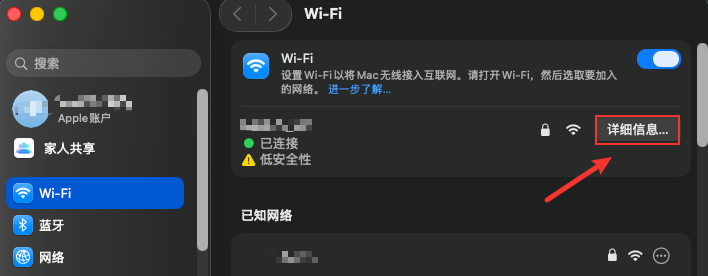
View Details: Click "Details" next to your currently connected Wi-Fi name.
-
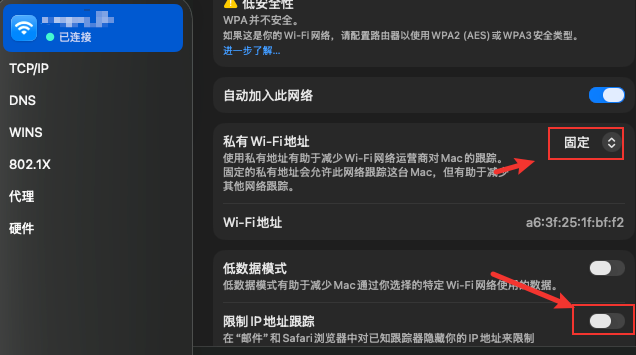
Fix IP Identity: Find the "Private Wi-Fi Address" field, change from default "Rotate" or "Off" to "Fixed".
-
Remove Restriction: Find the "Limit IP Address Tracking" field and manually turn it OFF (key to preventing secondary VPN traffic blocking).
Step 2: Use Tongbao VPN for Precision Acceleration
Once system settings are adjusted, pair with Tongbao VPN (www.tongbaovpn.com) dedicated routes for instant access:
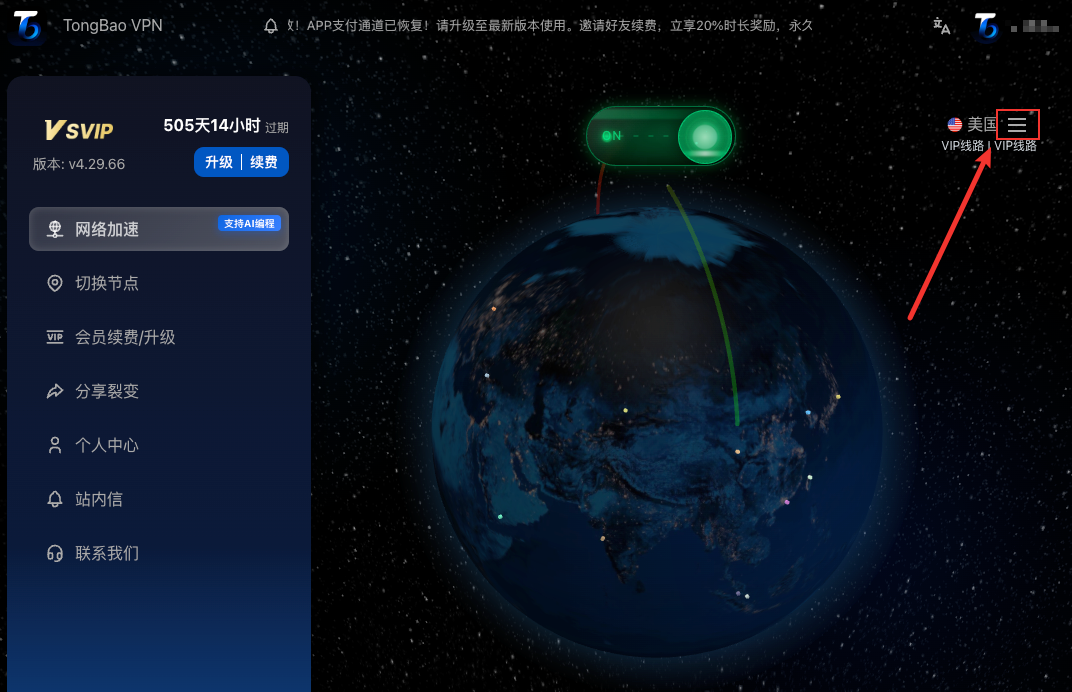
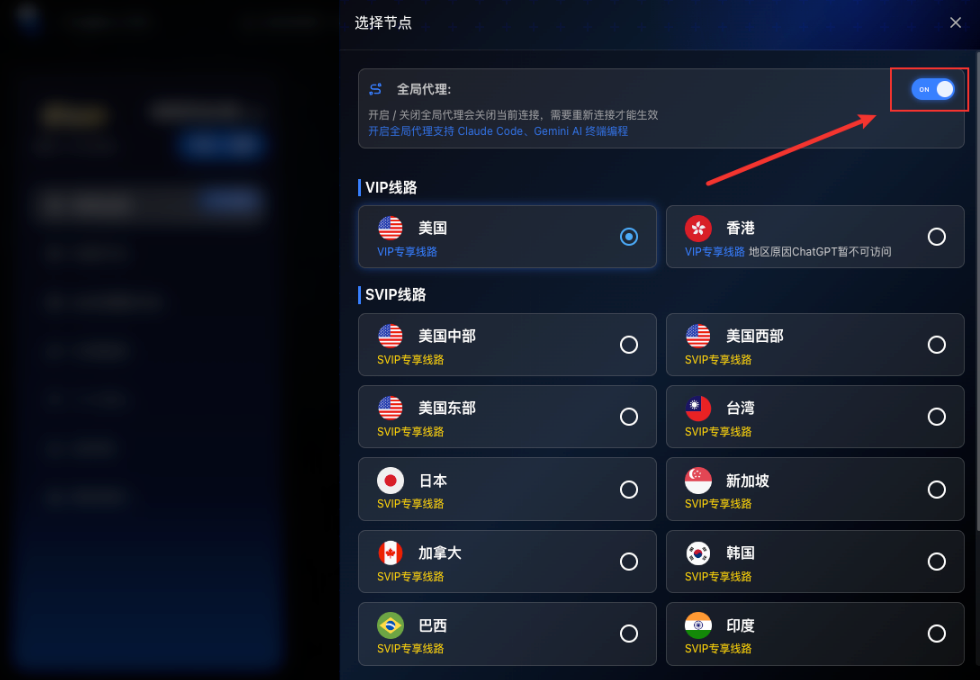
Select Route: Open Tongbao VPN client, enter route selection page.
Lock USA Region: Choose high-speed premium USA routes.
Enable Global Proxy: Turn on "Global Proxy" mode in Tongbao VPN (critical step for Gemini recognition).
Refresh & Reconnect: Completely close previous Gemini tab, re-enter https://gemini.google.com/app in browser address bar.
Success!
Now you should see Gemini's familiar chat interface.
Why Choose Tongbao VPN?
Blazing Fast & Stable: USA native IP routes specially optimized for AI tools.
Simple & Easy: One-click global proxy, perfectly matched with Mac systems.
Official Website: www.tongbaovpn.com
Friendly Tip: If there's still lag after setup, try clearing browser cache or use "Incognito Mode" for better results!